Pro-level analysis,
for every team.
A professional analyst who won the J1 League title packed only the features he actually uses on the job into one app. Do the same work without analysis gear that costs thousands a year.
"Data Not Collected"
Category: Sports
Great for youth teams
Turn your Keynote tactics
into 3D animation.
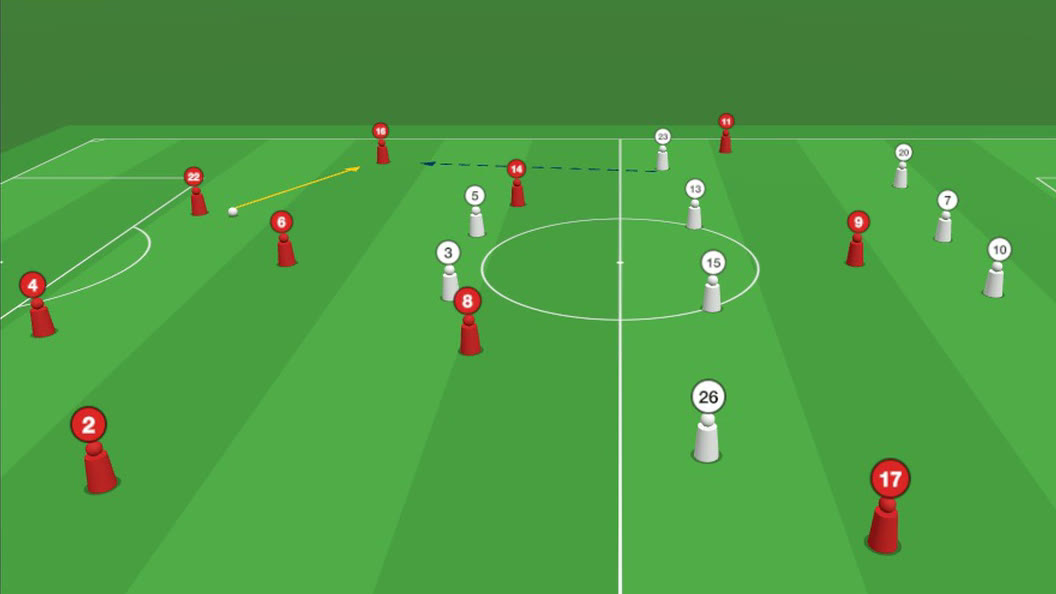
Import your usual tactics slides and move players frame by frame. Arrows grow, then players and the ball move, so the idea comes across. (Pro and Max plans; Pro on Windows)
BEFORETactics slide (illustration)
AFTERCoachTag 3D Tactics Board
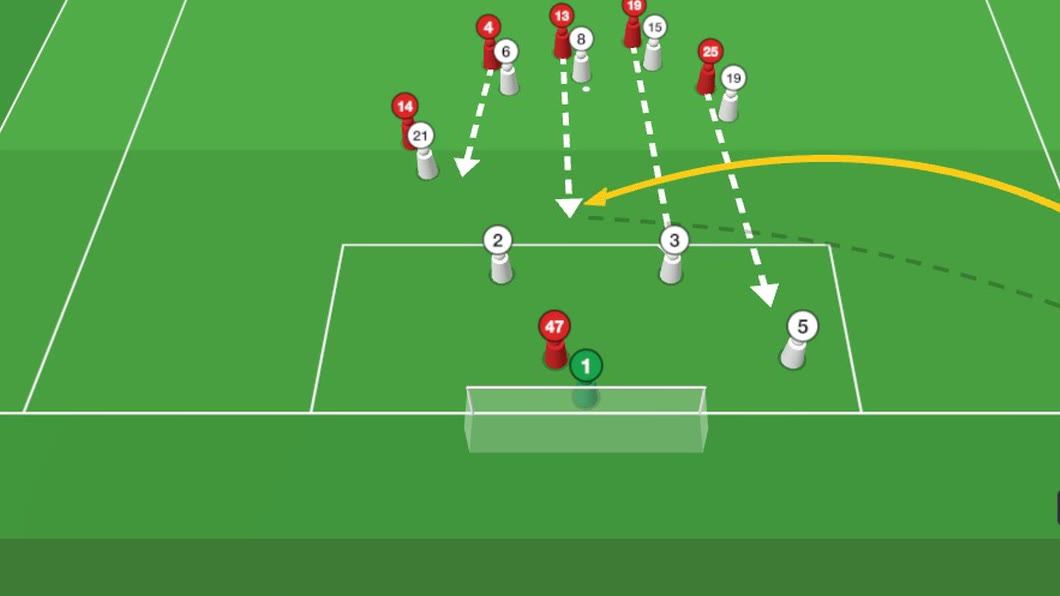
VIEWSet pieces: enlarge the penalty area
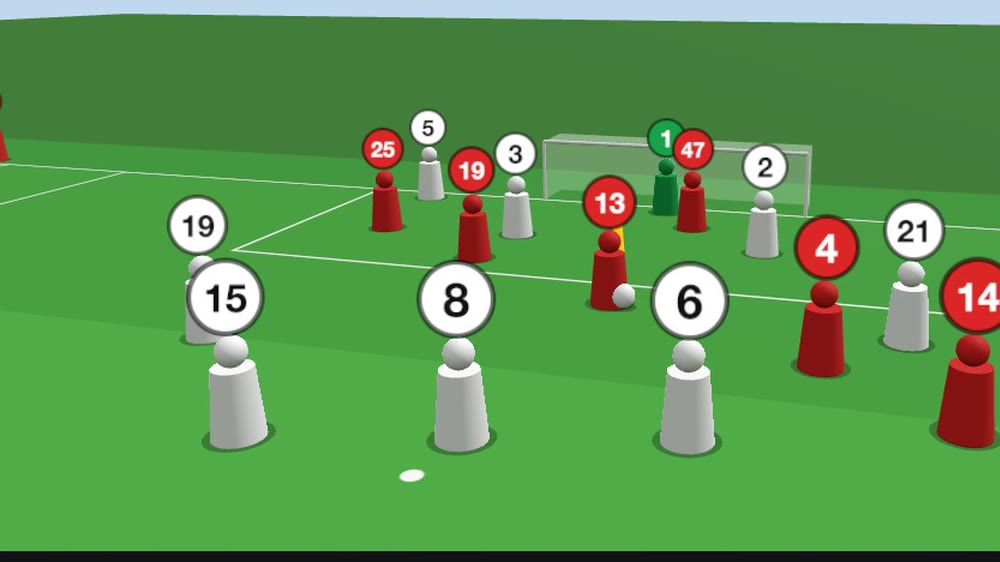
VIEWSwitch to the ball carrier's view
- Import from KeynotePlayers, arrows and zones are read and turned into 3D frames.
- Switch views anytimeShow the same scene from the top, at an angle, from the goalmouth or through a player's eyes.
- Straight into the meetingInsert into a playlist as slides, or export images and video.
Things you won't find in a regular video editor.
Auto-tracking
AI tracks the player you tap, even as the camera moves. No more redrawing frame by frame. A feature usually found only in professional analysis software, built right into the app.
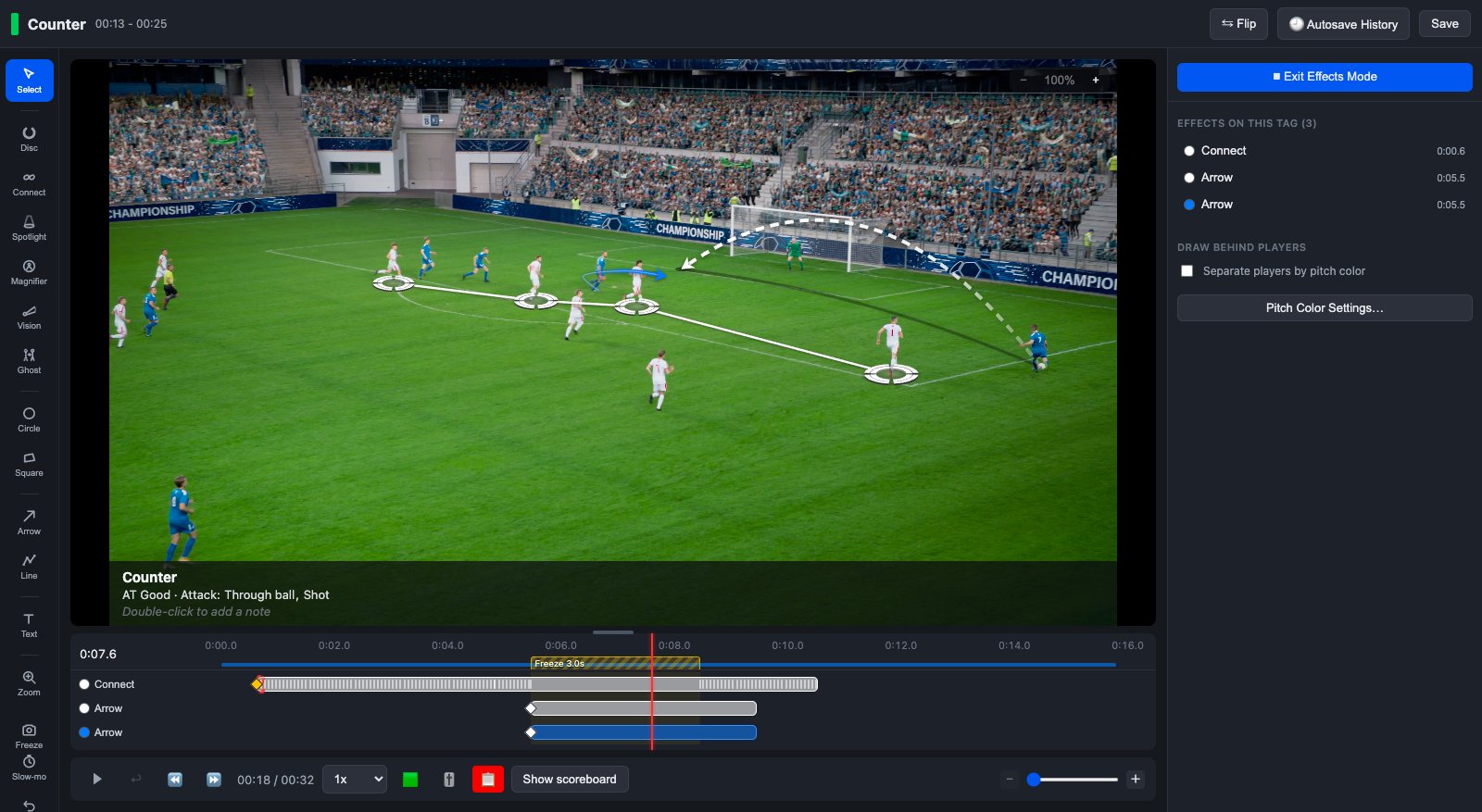
Drawing that doesn't cover players
CoachTag detects the pitch color and automatically masks drawings so they never sit on top of players or the ball. Zones and lines pass underneath the players for a broadcast-style look, and exported video looks exactly the same.
Ghost
Cut out a player and move them to where they should be. The player at the original position disappears naturally, so you can show positioning free from what actually happened.
Second angle
Sync two camera angles to review and export them side by side. Choose one angle, mix both, or mute the audio.
Designed for privacy
Your video is never uploaded to a server. Tagging, drawing and exporting all happen on your device. The App Store privacy label says "Data Not Collected".
Tagging, tactical drawing, export.
Your post-match workflow, in one app.
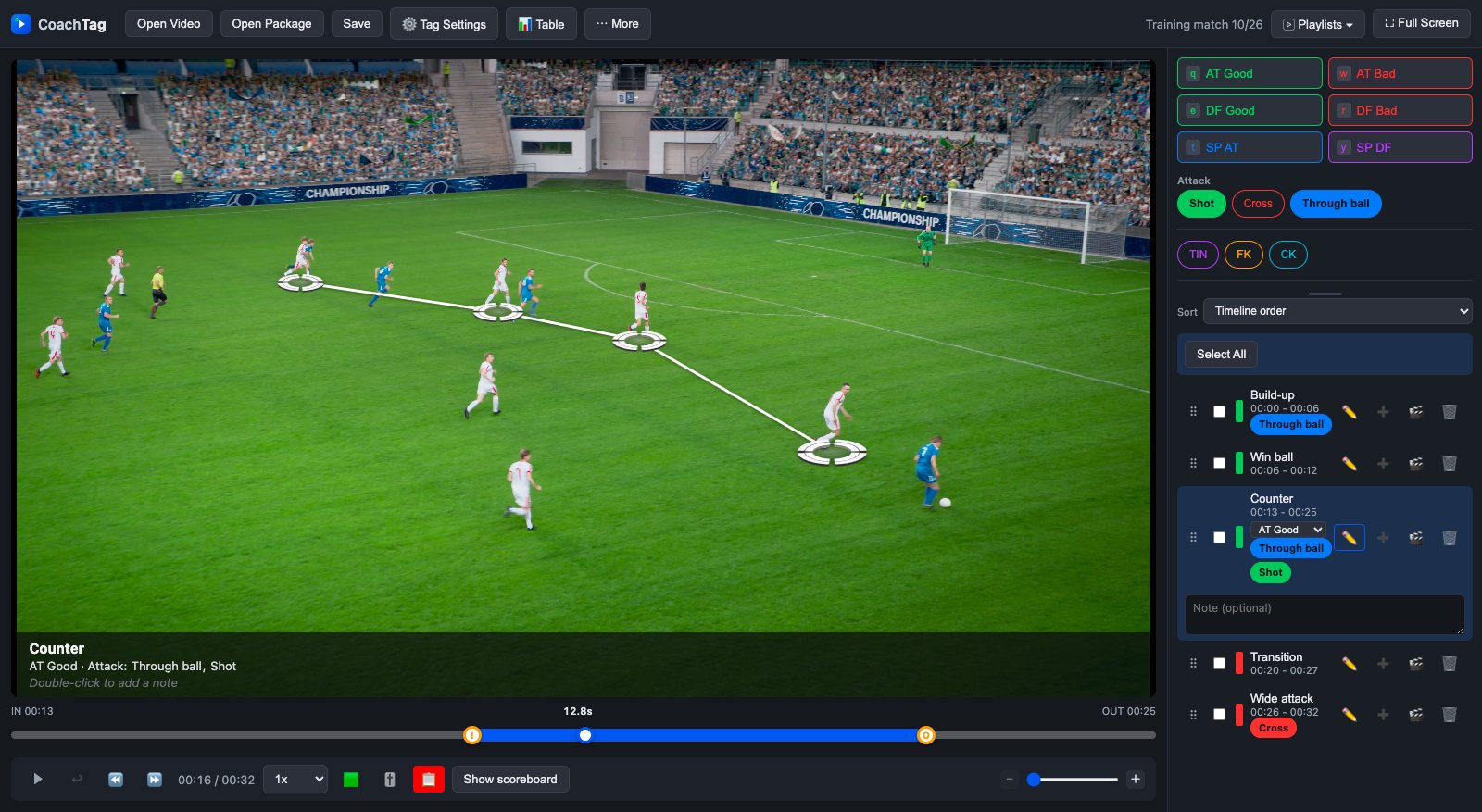
Tagging
Tag scenes with one tap while the video plays: good and bad moments in attack and defense, set pieces and more. Adjust the start and end timing (lead and lag time) to fit how you tag.
Tactical drawing
Draw tactics on tagged scenes with arrows, lines, zones, circles, text and vision cones. Animate them with keyframes, and burn explanations into a freeze frame.
Playlists
Collect tags into playlists and see them all on the tag board. A single playlist can span several match packages.
Export and share
Export a playlist as one video or as separate clips, then send them straight to players and staff with AirDrop or the Files app.
Tag on the bench,
finish anywhere.
The iPad version brings the same features as the Mac, including tactical drawing and auto-tracking. Tag during matches and training, and draw with your finger or Apple Pencil.
- Same screens, same controls as the MacThe iPad runs the same screens as the Mac version, so there's nothing new to learn.
- Move match data back and forthOpen a match package (.ccpkg) tagged on iPad on your Mac, or the other way around, via iCloud Drive, Files or AirDrop.
- Works with angle switchingSwitch to the second angle while you tag.
"I want kids to get the same feedback a pro would. That's why I want CoachTag to be at a price every team can afford."
We narrowed the features down to the workflow actually used on the job. The goal: do the same work with just a Mac or an iPad, without expensive professional gear.
One week with no sign-up.
Then your first month free.
We want youth players to get the same feedback a pro would. That's why CoachTag costs far less than a full set of analysis gear.
- Tagging, flags and the tags × flags table
- Playlists and the tag board
- Export and share
- Works on Mac and iPad
- Everything in Basic
- Tactical drawing, Vision and Ghost
- AI auto-tracking and drawing behind players
- 3D Tactics Board
- Second angle sync
- Everything in Pro
- Live Capture: tag while you record
- Mac and iPad only
Try every feature for one week from first launch, with no sign-up. Your first month is free when you first subscribe.
Auto-renewing monthly subscription. It renews automatically unless canceled at least 24 hours before the end of the current period. Manage or cancel anytime in your Apple ID subscription settings. On Windows, subscriptions are purchased through the Microsoft Store and are separate from App Store subscriptions. Cancel at least 2 days before the next billing date at account.microsoft.com/services.